Guides
How your account is protected: three keys, two signatures
TropyCash · Sep 26, 2026 · 8 min
Most apps keep your money behind a single door: a password, an SMS code, a twelve-word phrase written on a piece of paper. If someone opens it, they're in. If you lose it, you're locked out.
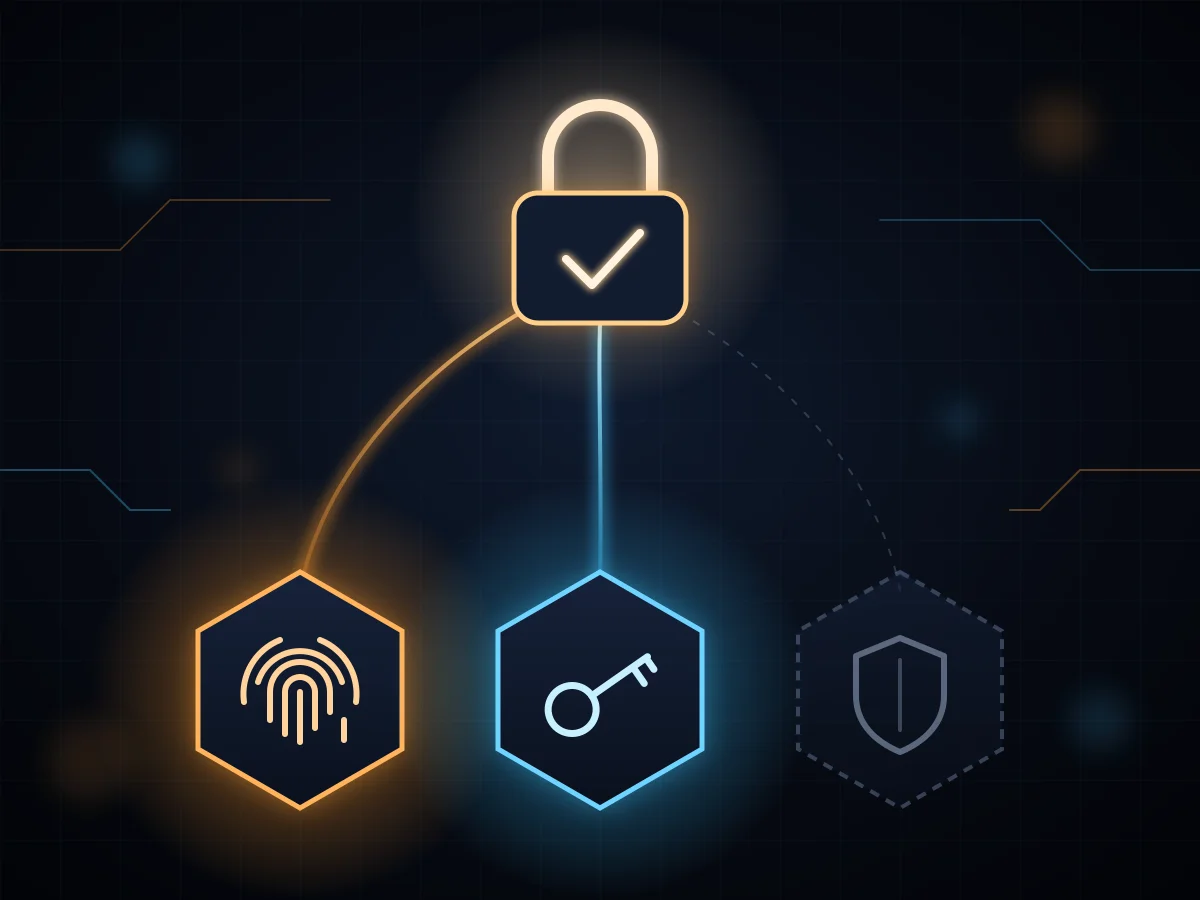
At TropyCash your account doesn't have a door. It has three keys, and moving money takes two. This guide explains what each key is, what happens day to day, what to do if you ever lose your phone, and how your Bitcoin, Tron and Solana wallets are born.
The three keys
Your account is a 2-of-3 multisig wallet. It lives on-chain, not on our servers, and the rule that governs it is written on-chain too: no single key can move a cent.
- Your passkey. You create it when you sign up, and it unlocks with your fingerprint, your face or your device PIN. It's stored in your password manager (Apple's or Google's) and never leaves it. Neither we nor anyone else can see it.
- Your sign-in key. It opens when you log in with your email or social account. There's nothing to write down: it's tied to your login.
- The TropyCash key. We hold it, and it exists for one thing only: helping you recover your account. It only signs after you prove who you are with your recovery factors (more below).
No key is useful on its own. Not a thief with your email, not someone holding your phone, not even us can move your funds with just one.
Day to day: a fingerprint and you're done
When you send money, your two keys sign: your sign-in key and your passkey. For you that's a fingertip or a glance at the camera. No phrases to copy, no codes to wait for, and no gas to pay: network fees are on us.
The TropyCash key doesn't take part in your normal operations. It stays in reserve.
If you lose your phone
This is where a single-key wallet and ours part ways. If you lose the device your passkey lived on (or delete it by accident), your money is still on-chain, untouched. What you need is a new passkey, and that's where the third key comes in.
On the sign-in screen, tap "Lost your passkey, or new here?". We'll ask for your recovery factors. Once you pass them, the TropyCash key signs together with your sign-in key (two of three) and swaps your old passkey for a new one.
The three recovery factors
They're how you prove it's you when your passkey is gone. There are three, and you set them up in Settings → 2FA:
- Recovery password. We ask for it when you create your account, at least 12 characters long. We don't store it: we keep only a cryptographic fingerprint that can check it but can't reveal it.
- Authenticator app. Google Authenticator, Authy or any app that generates six-digit codes.
- Telegram. You link your account with our bot and, when needed, approve the recovery with a button inside Telegram, away from the browser where it was requested.
The rule is simple: we ask for two of the factors you have set up (or the only one, if you've set up just one). With all three, any pair will do. So if you forget your password, you get in with the authenticator and Telegram.
If you set up a single factor and lose it along with your passkey, there's no way to recover access: your funds would still be on-chain, but nobody could move them, us included. Set up at least two. It takes two minutes.
What we do so nobody can guess your factors
- Limited attempts. All three factors share a single attempt counter. After several failures the wait grows (15 minutes, then 30, then an hour). There aren't three shots at brute force, there's one.
- We never leave you without factors. You can remove any you like, but not the last one. An account with no way to recover is a lockout waiting to happen.
- Changing your factors takes your passkey. Adding, changing or removing a factor is always confirmed with your fingerprint. Nobody can use one factor to erase the others.
Bitcoin, Tron and Solana: a seed born from two secrets
Everything above protects your main account, the one on Ethereum-compatible networks. Bitcoin, Tron and Solana work differently and don't support that same multisig, so on each of them you have a wallet of your own with a single key, backed by the familiar 12-word phrase. What matters is how that phrase is born.
The Coldcard case
In late July 2026, someone emptied more than 5,000 Bitcoin addresses created with Coldcard hardware wallets, taking over 1,500 BTC according to several analytics firms. They never touched a device. A build error in the firmware, present since March 2021, meant seeds weren't coming from the hardware's random number generator but from a predictable software one. Instead of 128 bits of randomness, some seeds had about 40 and others about 72. With so few possible combinations, the attacker could compute seeds one by one and check on-chain which ones held funds.
Worse: updating the firmware didn't fix seeds that already existed. Every affected user had to create a new seed and move their funds by hand.
The underlying flaw is one of design: everything hung on a single source of randomness. If that source fails, there's nothing behind it.
How your seed is born at TropyCash
Your 12-word phrase doesn't come from a random number generator we have to trust is working. It's computed by combining two signatures made with two different secrets, kept in different places:
- A signature from your sign-in key, the same one that protects your account.
- A signature from a TropyCash key, which our server only hands over after you request it with your passkey.
The two are mixed with a standard cryptographic function (HKDF-SHA256), and the result is a full 128 bits: exactly what fits in 12 words.
That changes things compared with Coldcard:
- It takes two failures, not one. To guess your seed, an attacker would need your sign-in key and our server's key. If one of them were compromised, the other would still keep the seed hidden.
- It doesn't depend on a device's randomness. There's no chip whose generator can ship broken, and no firmware that can break it in an update.
- Nobody stores it. The seed isn't saved anywhere: it's recomputed when needed and erased right after.
- Recovering your account doesn't change your addresses. The seed doesn't depend on your passkey, so if you swap it for a new one your Bitcoin, Tron and Solana addresses stay the same.
Isolated even from our own app
The seed is computed inside an isolated window with its own domain, separate from the app. The app never sees it: it only gets your address, or the ID of a transaction that's already been sent. On top of that, you approve every send with your passkey over the exact destination and amount (on Bitcoin, the maximum fee too), and the isolated window checks them again before broadcasting. If anything changed along the way, nothing goes out.
Your 12 words are yours
From Settings you can view the phrase for each network and take it to any standard wallet: Sparrow or Electrum for Bitcoin, TronLink for Tron, Phantom or Solflare for Solana. It's your backup, so you never depend on us.
These are single-key wallets: whoever has your 12 words controls those funds, with no passkey or factors to stop them. Write them down on paper, don't screenshot them, and never share them with anyone.
Three tips
- Don't reuse your email password. Your email opens one of the keys. If your recovery password is the same, whoever steals one has both.
- Add the authenticator and Telegram. With three factors you can forget any one of them and still get in.
- Be wary of anyone asking for codes. No one from TropyCash will ever ask for your recovery password or an authenticator code, whether by chat, email or phone.
Good security stays out of your way: one tap to send, and a clear path back if something goes wrong. If you have questions about your setup, get in touch.